Cursor, Claude Code, Codex, and ZCode: What Developers Should Choose in 2026
We compare Cursor, Claude Code, Codex, and ZCode by interface, agent capabilities, repository workflows, and ideal use cases. Learn which AI coding tool fits daily development, terminal work, and long-running tasks.
In brief
- • Cursor suits developers who want a familiar graphical editor with a deeply integrated AI agent.
- • Claude Code primarily operates through the terminal and works well for multi-file changes, debugging, and automation.
- • Codex supports workflows through its desktop app, CLI, IDE integration, and cloud environment, including parallel agent execution.
- • ZCode is an agentic development environment focused on GLM-5.2 and long-running, multi-step development tasks.
- • Cursor is convenient for continuous collaboration with AI while directly editing code.
- • Claude Code fits terminal workflows, scripts, CI processes, and existing developer toolchains.
- • Codex is suitable for parallel tasks, isolated branch workflows, and delegating larger changes.
- • ZCode stands out through long context, an integrated browser and terminal, remote development, and mobile control.
- • The right choice depends on interface, limits, security, workflow, and how changes are reviewed.
ContentsShow sections
AI coding tools are no longer limited to line completion. Modern agents can inspect repository structure, modify multiple files, execute commands, investigate errors, write tests, and verify results.
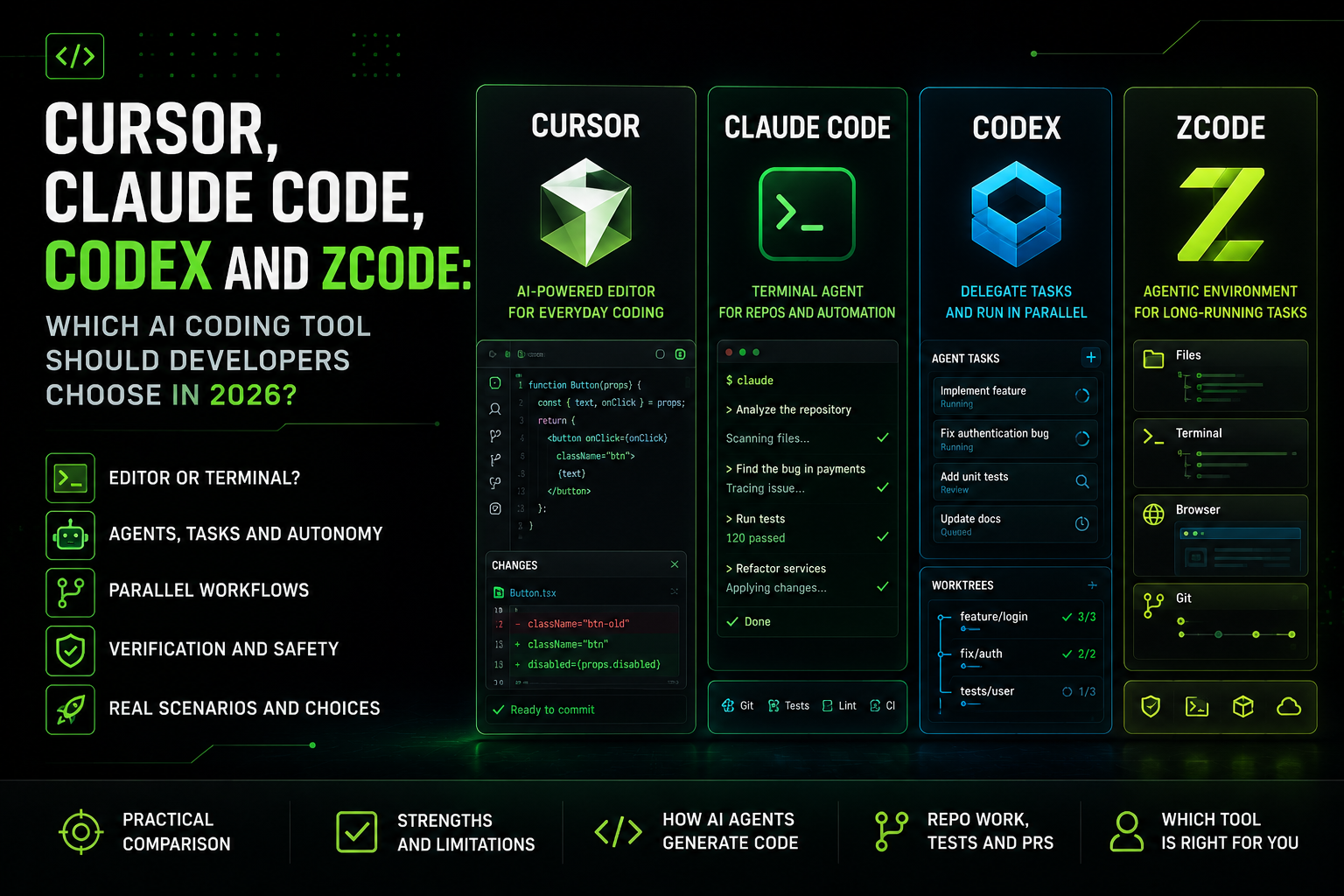
Cursor, Claude Code, Codex, and ZCode solve similar problems through different workflows. Cursor is built around a graphical editor. Claude Code primarily operates through the terminal. Codex supports delegated work across several interfaces and isolated environments. ZCode combines files, terminal output, browser context, and Git inside a dedicated agentic workspace.
Choosing a tool only by its underlying model is therefore not enough. Developers should also consider the interface, agent autonomy, change review, command access, and how well the tool fits their existing development process.
Cursor, Claude Code, Codex, and ZCode comparison
Tool | Main format | Best use case | Key characteristic |
|---|---|---|---|
Cursor | Graphical code editor | Daily development inside an IDE | AI is integrated directly into code editing |
Claude Code | Terminal agent | Debugging, refactoring, and automation | Works alongside Git, tests, and CLI tools |
Codex | App, CLI, IDE, and cloud tasks | Delegation and parallel work | Isolated tasks and multiple agent processes |
ZCode | Agentic development environment | Long-running multi-step tasks | Shared file, terminal, browser, and Git context |
Cursor: an AI editor for daily development
Cursor is a separate code editor with deeply integrated AI capabilities. Its interface is similar to familiar modern IDEs, which means developers do not need to rebuild their entire workflow.
Users can edit code manually, ask questions about a project, request multi-file changes, and review the resulting diff inside the same graphical environment. Chat, project search, source code, and change review remain in one place.
What Cursor is useful for
creating components and modules;
fixing type errors;
finding related files and dependencies;
performing local refactoring;
changing several files in one task;
explaining unfamiliar parts of a project;
reviewing and accepting changes through a diff;
running commands and checks from the development environment.
Who should use Cursor
Cursor is especially useful for developers who want to collaborate with AI throughout the day. It works well for frontend and backend development, incremental feature work, component creation, and smaller fixes.
Its graphical interface may also be easier for beginner vibe coders than a terminal-only agent because the project structure and proposed changes remain visible.
Cursor limitations
The workflow is tied to a specific editor. Developers with a carefully customized IDE or terminal environment may not want to move their entire process into another application.
Convenient change application also does not guarantee correctness. An agent may fix one file while missing a business rule, database migration, access restriction, or uncommon user flow.
Claude Code: an agent for terminal and repository work
Claude Code primarily works through the command line. A developer starts it inside the project directory, describes a task in natural language, and grants the required permissions.
The agent can read files, modify code, execute commands, run tests, and analyze their output. It fits workflows that already depend on Git, package managers, linters, and custom scripts.
What Claude Code is useful for
exploring a large repository;
investigating complex errors;
performing multi-file refactoring;
adding and repairing tests;
running linters, builds, and type checks;
preparing changes for a pull request;
automating repetitive operations;
using external tools through supported integrations.
Who should use Claude Code
Claude Code suits developers who treat the terminal as their primary working interface. It is particularly useful for debugging, understanding existing architecture, updating dependencies, and preparing a series of connected changes.
It can also be included in internal scripts and automated processes, allowing it to act as more than an interactive chat session.
Claude Code limitations
A terminal interface requires awareness of the commands being executed. Users should control which files are changed, which permissions the agent receives, and which external actions it performs.
Long sessions containing many files and command results can become difficult to review. Large tasks should be divided into clear stages and recorded in separate commits.
Codex: task delegation and parallel development
Codex is designed not only for interactive code suggestions but also for delegating complete development tasks. A developer can assign a bug fix, feature, test suite, or investigation of a specific repository area.
Different interfaces are available, including an application, command-line workflows, IDE integrations, and remote tasks. This allows developers to choose between local collaboration and delegated execution.
What Codex is useful for
exploring unfamiliar parts of a project;
implementing isolated features;
fixing bugs from a written description;
executing tests and commands;
working on several independent tasks;
splitting work between agents;
isolating changes in separate working copies;
reviewing results through diffs and Git.
Why parallel agents are useful
One agent can investigate a bug while another prepares tests and a third evaluates an alternative implementation. When tasks are independent, parallel execution can reduce total delivery time.
Isolated working copies reduce the chance of several processes changing the same local files at once. Developers can review each result separately and keep only the relevant changes.
Who should use Codex
Codex suits developers who want to delegate relatively independent tasks rather than only request short suggestions.
It is useful for larger repositories, multiple related changes, and work that can be divided into separate parts.
Codex limitations
Parallel work requires careful task definition. Overlapping instructions can produce incompatible solutions or modify the same architectural area in different ways.
The developer still needs to combine the result, resolve conflicts, evaluate system-wide impact, and verify that the implementation matches the original requirements.
ZCode: a connected environment for long-running agent tasks
ZCode is positioned as a dedicated agentic development environment. It combines project files, agent tasks, terminal output, browser context, Git state, and change review.
This format is useful when changing one file is not enough. An agent can inspect a project, prepare a plan, modify the implementation, start the application, review the interface, and analyze test results as parts of one connected process.
What ZCode is useful for
executing multi-step development tasks;
working with many related files;
running commands in an integrated terminal;
reviewing web interfaces through a browser;
inspecting Git diffs and repository state;
working with local and remote environments;
connecting to projects hosted on servers or in containers;
continuing previous work with preserved context.
Who should use ZCode
ZCode may interest developers who need a continuous process from task investigation to result verification.
It can be useful for web application development, remote server workflows, and long-running tasks that affect several parts of a system.
The environment is also designed around agentic workflows using models from the GLM family. Developers should still evaluate quality on their own technology stack and project type.
ZCode limitations
ZCode is a newer tool than Cursor and Claude Code. Its documentation, extension ecosystem, and community are still developing.
A dedicated environment may also be unnecessary for a small fix. When a task only requires changing a few lines, a familiar editor or terminal agent may be faster.
Which tool should you choose?
For continuous work inside an editor
Cursor suits developers who want to write code manually and access AI throughout the process in one graphical interface. It is a practical option for daily development and incremental project changes.
For terminal workflows, debugging, and automation
Claude Code suits developers who work through the command line and want to combine AI with Git, tests, linters, and internal scripts.
For delegation and parallel tasks
Codex is useful when work can be divided between several agents or assigned as an independent task in an isolated environment.
For connected work with files, browser, and terminal
ZCode suits multi-step tasks where the agent needs to inspect a project, modify code, start the application, and verify the result.
Can developers combine several tools?
Cursor, Claude Code, Codex, and ZCode do not necessarily need to replace one another completely.
A developer may use Cursor for daily editing, Claude Code for complex terminal diagnostics, Codex for independent parallel tasks, and ZCode for long-running workflows or remote environments.
However, paying for several tools only makes sense when each one has a clear role. If all services are used for the same small requests, developers receive duplicated functionality, separate limits, and a more complicated workflow.
How to review code produced by an AI agent
Regardless of the selected tool, the developer remains responsible for the final result. Before publishing changes, they should:
Review the complete diff.
Run tests and a production build.
Verify critical user flows.
Check authentication and permissions.
Review newly added dependencies.
Inspect database migrations.
Ensure that keys and secrets were not added to the repository.
Test error handling and edge cases.
Confirm that the solution can be maintained after release.
A successful build only proves that the project compiled or bundled successfully. It does not prove that the business logic, security, and user expectations are correct.
Final verdict
Cursor works well as a primary graphical editor with a continuously available AI agent.
Claude Code suits terminal work, debugging, automation, and multi-file changes.
Codex is useful for delegation, parallel processes, and isolated work on several tasks.
ZCode provides a connected agentic environment for long-running tasks involving files, terminal output, browser context, and Git.
The best choice depends not on the number of advertised features but on the developer’s workflow. A useful tool should accelerate the delivery of a verifiable result without hiding important changes from the person responsible for the product.
On VibeMarket, developers can present real working products, their role, technology stack, and verification process instead of only listing the AI tools they use.