Telegram Mini Apps: How They Work and Why Businesses Use Them in 2026
A practical guide to Telegram Mini Apps: how they work, how they differ from bots, websites, and mobile apps, which business tasks they solve, and what to plan before development.
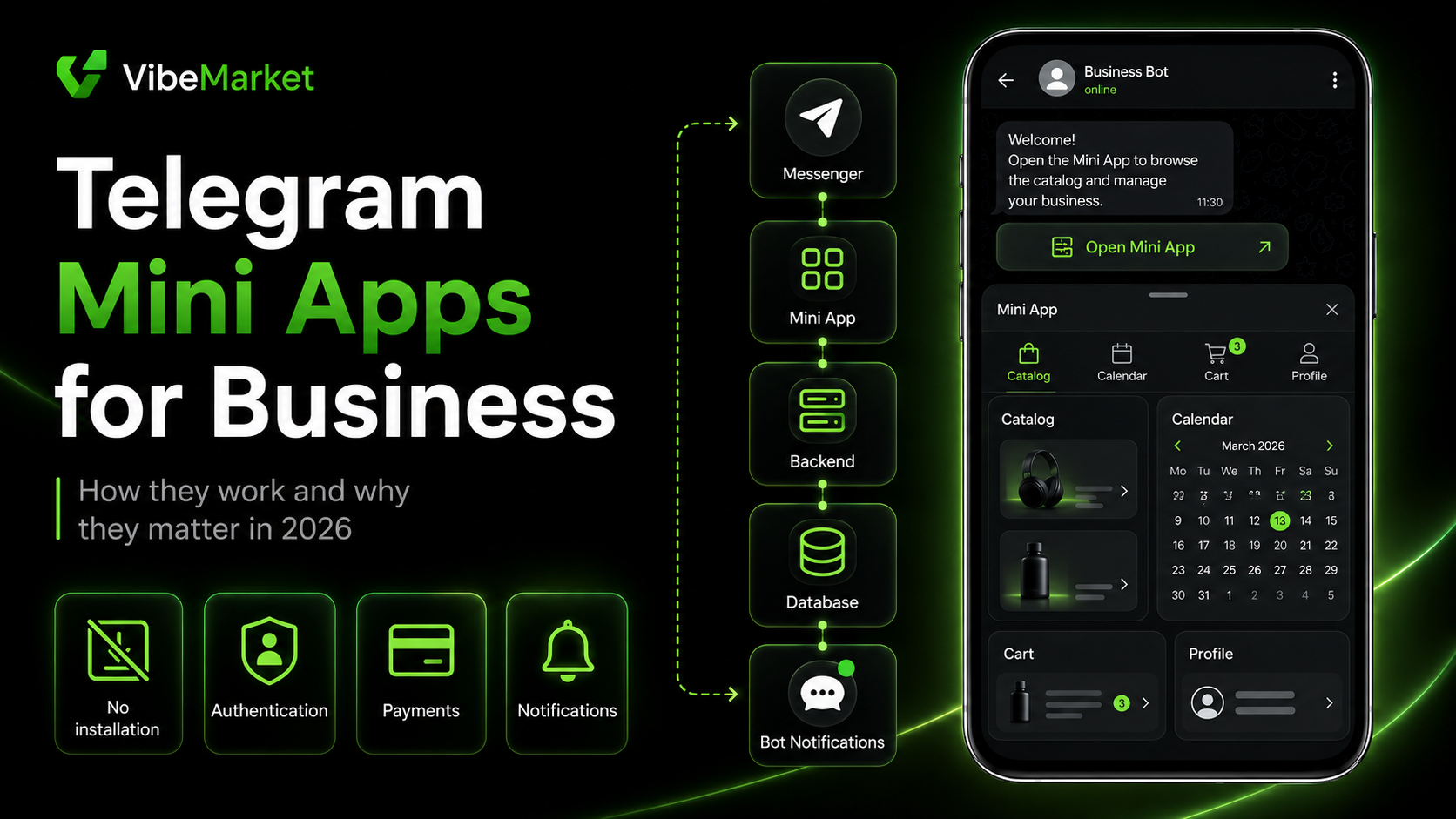
In brief
- • A Telegram Mini App is a web application that opens inside Telegram without a separate installation.
- • Mini Apps complement bots with visual interfaces such as catalogues, forms, calendars, dashboards, and interactive controls.
- • Telegram passes launch data to the application, but its authenticity must be validated on the backend.
- • Digital goods and services sold inside Telegram must use Telegram Stars.
- • Physical products and offline services may use other supported payment scenarios.
- • A Mini App still requires external infrastructure, including hosting, a backend, a database, HTTPS, and monitoring.
- • Mini Apps suit businesses whose audiences already use Telegram and need a convenient interface without installing another application.
- • A regular website may be better for search traffic, public content, and independence from a single platform.
- • Development cost depends on features, integrations, roles, payments, administration tools, and support requirements.
ContentsShow sections
Telegram is no longer used only for messaging. Businesses can offer catalogues, bookings, orders, subscriptions, education, and internal services directly inside the messenger.
These products are built with Telegram Mini Apps.
A Mini App may look like a regular website or mobile service. The main difference is that it opens inside Telegram without requiring a separate app-store installation.
However, a Mini App is not a shortcut that automatically turns a simple bot into a complete product. It still requires an interface, backend, database, authentication, testing, data protection, and maintenance.
This guide explains how Telegram Mini Apps work, how they differ from bots and websites, which business tasks they can solve, and when the format is appropriate.
What is a Telegram Mini App?
A Telegram Mini App is a web application launched inside Telegram’s embedded interface.
It is built with regular web technologies and may include:
pages;
forms;
product cards;
catalogues;
filters;
calendars;
shopping carts;
user dashboards;
charts;
interactive controls;
administration tools.
The user opens a button or link and enters the application without leaving Telegram.
They do not need to:
search for a website;
install a separate application;
create another shortcut;
find the service again every time.
Telegram provides the launch environment and session data. The application itself is normally hosted on external infrastructure and connected to its own backend and database.
How does a Mini App differ from a Telegram bot?
A Telegram bot primarily interacts through messages, commands, buttons, and notifications.
This works well for simple sequential actions:
checking an order status;
subscribing to updates;
sharing contact information;
selecting one option;
asking a question;
receiving a file;
running a command.
A chat interface becomes inconvenient when users need to view or edit a larger amount of information.
Examples include:
comparing products;
choosing a date from a calendar;
completing a long form;
applying filters;
managing a shopping cart;
reviewing transaction history;
working with tables;
reading charts.
A Mini App provides a complete visual interface for these tasks.
Capability | Telegram bot | Telegram Mini App |
|---|---|---|
Messages and commands | Yes | Usually through the connected bot |
Notifications | Yes | Through the connected bot |
Product catalogue | Limited | Full interface |
Forms | Simple | Complex and multi-step |
Calendar | Limited | Visual date selection |
Shopping cart | Inconvenient | Convenient |
User dashboard | Limited | Yes |
Search and filters | Limited | Yes |
Installation | Not required | Not required |
Bots and Mini Apps are commonly used together.
The bot can:
launch the application;
send confirmations;
remind users about bookings;
report status changes;
return users to a specific section.
The Mini App handles visual interaction and user actions.
How does a Telegram Mini App work?
A typical user flow looks like this:
The user sees a link, button, or bot profile.
They open the Mini App inside Telegram.
Telegram passes launch data to the application.
The backend validates that data.
The user performs an action.
The backend stores the result.
The bot sends a confirmation or notification.
For an appointment service, the user may:
Choose a service.
Select a specialist.
View available times.
Confirm the booking.
Receive a message from the bot.
Receive a reminder later.
The user sees one product, but several components may be working together:
the Mini App interface;
a Telegram bot;
the backend;
a database;
an administration panel;
third-party integrations.
How can users open a Mini App?
Telegram supports several launch methods.
From the bot profile
A bot can have a configured Main Mini App. The user opens the bot profile and launches the application.
This works well when the Mini App is the main product and the bot is primarily used for access and notifications.
From the bot menu
The application button may appear near the message input area.
This gives users permanent access to the main interface.
From a message button
A bot can send buttons such as:
open catalogue;
view order;
confirm booking;
continue to payment;
open dashboard.
The user enters a specific scenario immediately.
Through a direct link
A direct link can be placed in:
a Telegram channel;
an advertisement;
a website;
social media;
an email;
a manager’s message.
The link may open the application with a predefined context, such as a particular product, event, or referral offer.
Through other Telegram controls
Depending on configuration, Mini Apps may also be opened through bot keyboards, inline buttons, and other supported entry points.
Businesses do not need every possible launch method. They need a clear user journey.
Define:
where users discover the product;
which button they press;
which screen opens first;
which action they should complete;
how they return later.
How does authentication work?
Telegram passes signed launch data related to the user and session.
This may remove the need for a separate username and password.
However, the backend must not trust data simply because it appears inside the browser portion of the Mini App.
A secure flow should:
Receive the original launch data.
Send it to the backend.
Validate the signature and validity period.
Connect the verified Telegram user to a database record.
Create a secure application session.
Skipping validation may allow an attacker to submit modified user data.
Telegram opening the application does not remove the need for backend verification.
What can businesses build?
Telegram Mini Apps are not limited to online stores.
Online stores
Users can:
browse a catalogue;
apply filters;
view products;
add items to a cart;
select delivery;
place orders;
track status.
Booking services
Mini Apps can support:
salons;
clinics;
consultations;
education;
rentals;
reservations;
events.
Users select a service, specialist, date, and time.
Loyalty programs
A Mini App may include:
a virtual card;
bonus balance;
transaction history;
personalized offers;
customer levels;
tasks and rewards.
User dashboards
Users can view:
orders;
subscriptions;
payments;
documents;
statuses;
settings;
support requests.
Education platforms
A Mini App can provide:
lessons;
tests;
progress;
assignments;
schedules;
certificates;
paid content.
Internal business tools
Mini Apps may serve as:
request dashboards;
task trackers;
approval services;
shift management tools;
performance dashboards;
inventory interfaces;
instruction libraries.
AI services
Businesses may create:
document assistants;
content generators;
consultants;
file analysis tools;
product selectors;
request-processing services.
Games and entertainment
Mini Apps can support games, competitions, rankings, and engagement mechanics.
Business benefits
Users are already inside Telegram
When the target audience uses Telegram, the path to the product may be shorter.
The user sees a message, presses a button, and opens the interface.
This does not guarantee higher conversion, but it can reduce the number of required steps.
No separate installation
Businesses do not need to convince users to open an app store and install another product.
The Mini App opens inside Telegram.
Visual interfaces suit complex actions
Chat messages are often inconvenient for catalogues, calendars, carts, and dashboards.
Mini Apps present information in a familiar visual format.
Bots can bring users back
After a booking or order, the bot may send:
confirmation;
reminders;
status updates;
personalized offers;
links to relevant sections.
Notifications should be expected, useful, and compliant with Telegram rules.
Updates do not require a new app-store release
A Mini App is a web application.
When the interface is updated on the server, users receive the new version without a standard app-store review.
Updates should still be tested and deployed safely.
Telegram features become part of the product
A Mini App may interact with:
user profiles;
Telegram themes;
bots;
messages;
links;
payments;
cloud and local storage;
selected device capabilities.
Available features depend on the client version and implementation.
How do payments work?
The payment model depends on what the business sells.
Digital goods and services
Digital goods and services sold inside Telegram must use Telegram Stars.
Examples may include:
access to digital content;
application features;
game items;
digital subscriptions;
online services delivered inside Telegram;
paid bot or Mini App functionality.
A third-party payment form cannot simply replace Stars for these purchases inside Telegram.
Physical products and offline services
Physical products and services delivered outside Telegram may use other supported providers and currencies.
Examples include:
delivery of physical products;
salon appointments;
offline consultations;
real-world reservations;
food orders.
The product type should be identified before development begins.
Using the wrong payment model may create compliance and availability problems.
Payment logic requirements
Regardless of the payment method, the system should handle:
order creation;
pending payment status;
confirmed payments;
repeated notifications;
protection against duplicate processing;
refunds;
transaction logs;
customer support;
error states.
Opening a payment interface does not mean that an order has been paid. The backend must receive and process a verified result.
What infrastructure does a Mini App require?
Opening inside Telegram does not eliminate the need for technical infrastructure.
A typical project includes:
Frontend
The web interface visible to the user.
Backend
The backend handles:
business logic;
authentication;
database access;
integrations;
payments;
notifications;
permissions.
Database
It may store:
users;
products;
bookings;
orders;
statuses;
settings;
activity history.
Telegram bot
The bot launches the application, sends messages, and connects Telegram events to the backend.
Domain and HTTPS
The Mini App must open through a secure address.
Administration panel
A business may need to manage:
products;
services;
users;
schedules;
orders;
content;
analytics.
Monitoring and backups
After launch, the team needs visibility into errors, service availability, and data recovery.
A Mini App project is therefore more than a set of screens.
Mini App, bot, website, or mobile app?
Requirement | Bot | Mini App | Website | Mobile app |
|---|---|---|---|---|
Simple commands | Excellent | Possible | Possible | Possible |
Telegram notifications | Excellent | Through bot | Limited | Separate channel |
Catalogues and forms | Limited | Strong | Strong | Strong |
Search traffic | No | Almost none | Yes | Limited |
Installation | Not required | Not required | Not required | Required |
Access outside Telegram | No | No | Yes | Yes |
Native device capabilities | Limited | Partial | Limited | Strongest |
Fast updates | Yes | Yes | Yes | Depends on stores |
Platform independence | Low | Low | Higher | Platform-dependent |
Choose a bot
When the product mainly needs:
notifications;
commands;
simple replies;
sequential conversations;
file delivery;
a small number of actions.
Choose a Mini App
When the audience is already in Telegram and needs:
a catalogue;
forms;
calendars;
a dashboard;
a cart;
an interactive interface.
Choose a website
When the project depends on:
SEO;
open access;
public content;
independence from Telegram;
users without Telegram accounts.
Choose a mobile app
When the project requires:
deeper device integration;
complex background processing;
complete offline operation;
app-store distribution;
independent notifications;
advanced native interfaces.
A common combination is:
a website for search and public information;
a Mini App for customers;
a bot for notifications.
When may a Mini App be the wrong choice?
A Mini App should not be selected only because Telegram is popular.
It may be unsuitable when:
the target audience does not use Telegram;
search traffic is a major acquisition channel;
users must access the product without Telegram;
the business needs platform independence;
complex offline behavior is required;
advanced native device features are necessary;
app-store discovery is important;
Telegram rules conflict with the business model.
Choose the user journey first and the technology second.
How much does development cost?
There is no universal Telegram Mini App price.
Cost depends on the product scope.
Simple Mini App
It may include:
several screens;
one form;
a catalogue;
request submission;
basic bot integration;
a simple administration tool.
Business service
It may include:
authentication;
a user dashboard;
multiple roles;
a database;
scheduling;
operation history;
a complete administration panel;
notifications;
one or more integrations.
Complex product
It may include:
payments;
several user types;
subscriptions;
complex business logic;
analytics;
referral systems;
multiple languages;
high-load requirements;
CRM and external API integrations;
support tools.
Pricing is also affected by:
design readiness;
specification quality;
available source data;
security requirements;
migration of existing users;
deployment;
testing;
maintenance.
Compare proposals by included work rather than the final number alone.
What should the specification include?
To estimate a Mini App, the client should describe:
Goal
Which problem should the application solve?
Users
Who will use it?
Scenarios
What happens from the first launch to the completed result?
Screens
Which main sections are required?
Roles
How do client, manager, and administrator permissions differ?
Integrations
Does the product require CRM, payments, analytics, email, maps, or external APIs?
Notifications
Which messages should the bot send, and when?
Payments
Does the business sell digital products, physical goods, or offline services?
Administration panel
Which data should the business manage?
Acceptance criteria
How will every important scenario be verified?
A detailed guide is available in “How to Write a Technical Specification for a Developer”.
How to choose a developer
Ask candidates to show working Mini Apps.
Check:
which features they implemented;
how the backend works;
whether an administration panel exists;
how Telegram launch data is validated;
whether they have payment experience;
how they test different devices;
how errors are handled;
who will own the repository;
how domain, server, and account access are transferred;
whether post-launch support is available.
A strong developer asks about the business scenario rather than only the interface colors.
Warning signs include:
promising any Mini App in a few days;
ignoring the backend and database;
trusting user data without validation;
failing to distinguish digital and physical purchases;
avoiding payment-processing questions;
not using Git;
having no testing environment;
providing no handover process.
Pre-launch checklist
Before publication, verify:
The application opens correctly from every intended entry point.
Telegram launch data is validated on the backend.
Users cannot access other users’ data.
Main scenarios work on mobile and desktop.
The interface works in light and dark themes.
Repeated actions do not create duplicate orders.
Payments are confirmed by the backend.
Errors are explained clearly.
The bot sends the required notifications.
The administration panel is protected.
Error logging is enabled.
Backups are configured.
A privacy policy is available.
A support channel is defined.
The client has repository and infrastructure access.
Posting a project on VibeMarket
Clients can use VibeMarket to request development of:
a Telegram Mini App;
a connected bot;
an administration panel;
payments;
CRM integrations;
analytics;
ongoing support.
The request should include:
the product goal;
user types;
primary scenarios;
launch methods;
required integrations;
payment requirements;
budget;
timeline;
acceptance criteria.
Final thoughts
A Telegram Mini App is a web application that opens inside Telegram and works with a bot and external backend infrastructure.
The format suits businesses when:
the audience already uses Telegram;
a visual interface is required;
fast entry matters;
bot notifications are useful;
a separate mobile app would be excessive.
A Mini App does not always replace a website or native application.
Websites are stronger for search traffic and public content. Native apps are stronger for advanced device integration and offline scenarios.
The first question should not be:
Do we need a Telegram Mini App?
Ask instead:
Where is our audience, what action should they complete, and which interface makes that path easier?
Once the answer is clear, the business can select the format and prepare a development specification.