How to Pay a Freelancer Safely Using TON Blockchain Escrow
Learn how to pay a freelancer without sending a direct upfront payment: create a TON wallet, connect it to the deal, and lock the funds in a blockchain escrow smart contract.
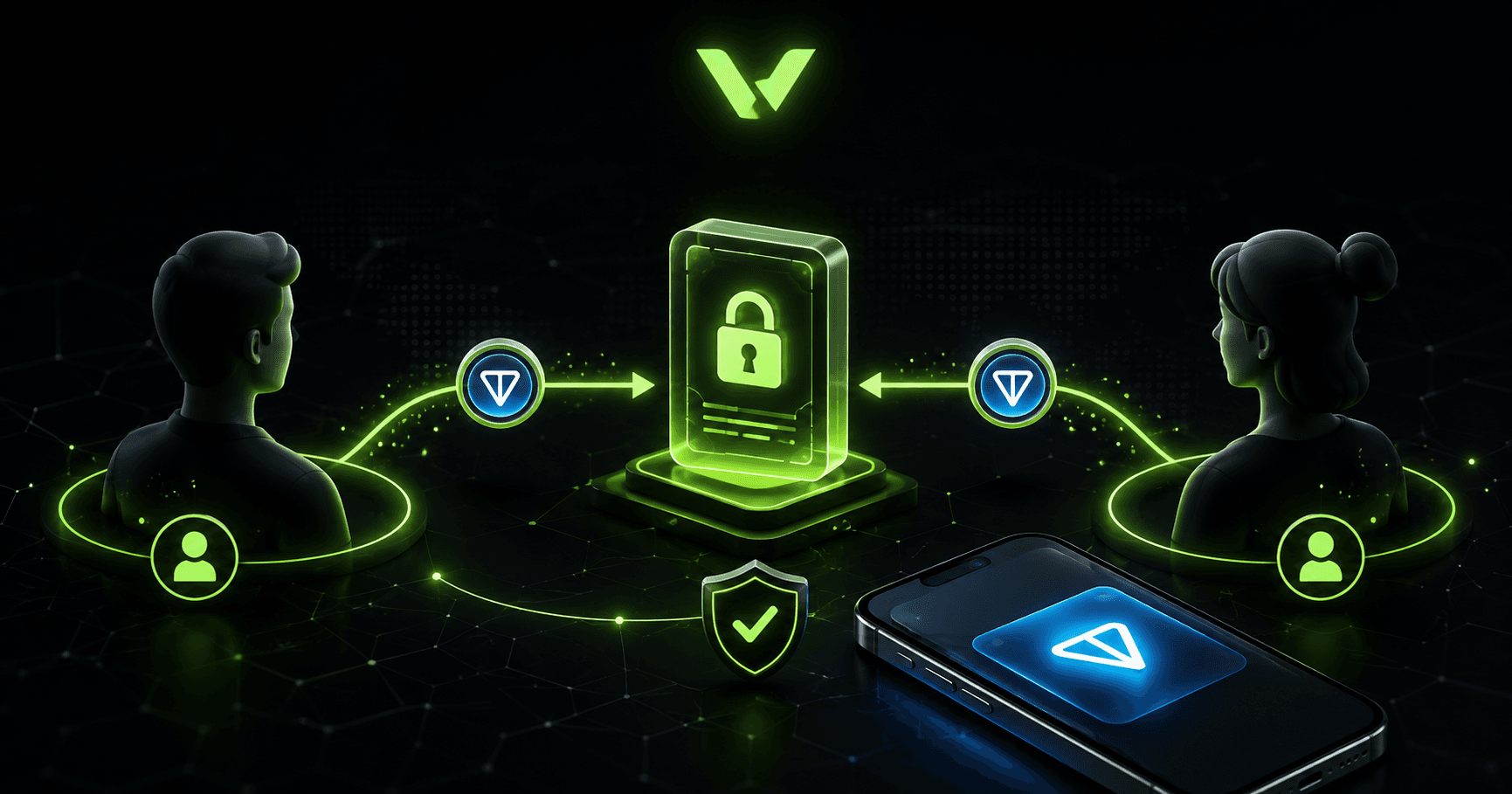
In brief
- • Avoid sending the full upfront payment directly to an unfamiliar freelancer.
- • With escrow, funds remain locked in a smart contract until the deal is resolved.
- • A wallet supporting TON Connect is required to make the payment.
- • VibeMarket does not store user funds, recovery phrases, or private keys.
- • After delivery, the funds may be released, refunded, or handled through a dispute.
ContentsShow sections
Paying an unfamiliar freelancer in full before the work begins always involves risk. The freelancer may miss the deadline, deliver an incomplete result, or stop responding. At the same time, freelancers also do not want to complete a large project without knowing whether the client will actually pay.
One way to protect both parties is to use escrow. With this payment method, the client reserves the agreed amount in advance, but the freelancer receives the funds only after the conditions of the deal have been met.
For protected deals on VibeMarket, funds are locked in a separate smart contract on the TON blockchain. The money is not stored in a VibeMarket account and is not transferred directly to the freelancer. It remains in the smart contract until it is released to the freelancer, refunded to the client, or distributed according to the outcome of a dispute.
This guide explains how to pay a freelancer safely, create a TON wallet, connect it to a deal, and fund an escrow smart contract.
Why direct upfront payments are risky
A direct payment may seem like the easiest option. The client sends money to the freelancer's bank account, card, or cryptocurrency wallet, and the freelancer begins working.
The problem is that the client loses control of the funds after the transfer. If the freelancer does not complete the project, the platform cannot automatically reverse the payment.
The main risks of a direct upfront payment include:
the freelancer may stop responding;
deadlines may be missed without a reasonable explanation;
the result may not match the agreed requirements;
only part of the work may be delivered;
the parties may understand the project requirements differently;
a refund will depend entirely on the recipient's cooperation.
Paying only after completion does not always solve the problem either. In that case, the freelancer takes the risk. They may finish the project, deliver the result, and never receive payment.
Escrow provides a middle ground. The client proves that the funds are available, while the freelancer can see that the payment has already been reserved.
What is escrow in freelancing?
Escrow is a payment mechanism in which funds are temporarily locked until the conditions of a deal have been fulfilled.
A typical process looks like this:
The client and freelancer agree on the project terms.
The client reserves the payment.
The freelancer completes the work.
The client reviews the result.
The funds are released after approval.
When the parties cannot reach an agreement, the deal may enter a dispute process. The order terms, messages, files, delivered materials, and actions of both parties may be reviewed.
The main benefit of escrow is that the client does not have to send the full upfront payment directly to an unfamiliar freelancer.
How protected payments work on VibeMarket
When a client chooses protected payment on VibeMarket, a smart contract on the TON blockchain is used.
VibeMarket provides the deal interface, connects the order with the wallet addresses of both parties, and displays the current state of the smart contract. The platform does not store user funds in a regular platform balance.
The funds are transferred directly from the client's wallet to a separate smart contract.
The deal parameters include:
the project amount;
the client's wallet;
the freelancer's wallet;
the platform fee;
the funding deadline;
the delivery deadline;
the supported deal outcomes.
After the transaction is confirmed, the funds are locked in the contract. The freelancer cannot receive them immediately, and the client cannot arbitrarily withdraw the payment after the deal has started.
Possible deal outcomes
The smart contract supports several possible outcomes:
release of the funds to the freelancer;
refund of the funds to the client;
a 50/50 split between the parties.
The decision process uses a two out of three approval model.
The participants are:
the client;
the freelancer;
the platform arbiter.
One participant cannot withdraw the funds or replace the recipient alone. The required number of approvals must be collected before the selected outcome can be executed.
What you need to make a payment
To use a protected deal, you need:
a VibeMarket account;
a wallet that supports TON Connect;
enough TON to cover the project amount;
a small additional TON balance for network fees;
clearly agreed project requirements.
Both the client and the freelancer need a wallet.
The client uses the wallet to fund the smart contract and approve actions related to the deal.
The freelancer connects the wallet that will receive the payout after successful project completion.
How to create a TON wallet
You can use Tonkeeper or another wallet that supports TON Connect.
Download the application only from an official app store or the official website of the wallet developer.
Before installing it, check:
the application name;
the developer's name;
the official website address;
the number of downloads;
user reviews.
Do not install a wallet using random links from private messages, comments, or advertisements.
After installation, choose the option to create a new wallet.
The application will display a recovery phrase, which is also known as a seed phrase. It normally consists of a sequence of words and can be used to restore full access to the wallet.
Write the seed phrase down on paper and keep it in a secure place, separate from your phone and computer.
Never:
send the seed phrase through a messenger;
store it in an unprotected note;
upload it to an unsecured cloud service;
enter it on VibeMarket;
share it with a freelancer;
send it to customer support.
VibeMarket never asks for a seed phrase, private key, or wallet password.
Anyone who obtains the seed phrase may be able to restore the wallet and access its funds.
How to fund a TON wallet
The wallet must contain the project amount and a small additional balance for network fees.
For example, if the project price is 100 TON, the wallet should contain slightly more than 100 TON.
When buying or transferring TON, carefully verify:
the selected blockchain network;
the recipient address;
the amount;
the transaction fee;
the service used to buy the cryptocurrency.
The TON network fee is not a VibeMarket fee. It covers transaction processing on the blockchain and may change over time.
A confirmed blockchain transaction cannot be cancelled using a normal refund button. Always check the wallet address and amount before approving a transaction.
How to create an order with protected payment
Choose escrow as the payment method when creating an order.
Before publishing the order, describe:
the task;
the expected result;
the budget;
the delivery deadline;
the required features;
the acceptance criteria;
the delivery format;
any required access;
the project stages.
Clear requirements make it easier to review the result and resolve possible disagreements.
A description such as "build a good website" is too vague.
A stronger project description should specify:
the number of pages;
required forms;
mobile responsiveness;
integrations;
interface languages;
performance requirements;
source code delivery;
deployment requirements.
Important agreements should be recorded inside the VibeMarket order and chat.
How to choose a freelancer
After the order is published, freelancers can submit bids.
When choosing a freelancer, review:
the proposed price;
the estimated delivery time;
the suggested solution;
the freelancer's experience;
their portfolio;
their reviews;
the questions they ask about the project.
Do not choose a freelancer based only on the lowest price. An unusually cheap offer may mean that the freelancer has misunderstood the scope or plans to complete only part of the work.
Clarify all uncertain details and record the final terms before accepting a bid.
After a bid is accepted, the order is assigned to the selected freelancer. An escrow record is then created for the protected deal.
The smart contract can only be funded after a bid has been accepted.
How to connect wallets to the deal
After the freelancer has been selected, both parties must open the order page and connect their TON wallets.
The freelancer connects the wallet that will receive the payout.
The client connects the wallet that will fund the smart contract.
Several rules must be followed:
the client and freelancer must use different wallet addresses;
the freelancer must connect a wallet before the deal can be funded;
later actions must be performed using the wallet registered for the deal;
the system will display a warning when a different wallet is connected.
Connecting a wallet through TON Connect does not automatically transfer any funds.
It only allows the website to read the public wallet address and prepare a transaction. Every transaction must be reviewed and signed by the user inside the wallet application.
How to fund the smart contract
After the freelancer connects a wallet, the client can fund the deal.
Before approving the transaction, verify:
the order identifier;
the project amount;
the connected wallet;
the selected network;
the network fee;
the transaction details.
After the client selects the funding action, VibeMarket prepares the transaction. A confirmation request then appears in the connected wallet.
The client must review the details and sign the transaction.
After confirmation, the funds are transferred to a separate smart contract on the TON blockchain.
They are not sent directly to the freelancer and are not added to a regular VibeMarket balance.
The order status updates after the transaction is confirmed on the blockchain.
What happens after funding?
After the smart contract has been funded, the order moves into active work.
The freelancer completes the task according to the recorded requirements.
Before development begins, both parties should confirm:
the final project scope;
the delivery deadline;
the acceptance criteria;
the delivery format;
the required access;
the list of mandatory features;
the process for requesting corrections.
The freelancer must deliver the result before the deadline specified for the deal.
The result may be delivered through the available deal interface or another agreed method. Important links, files, and explanations should also be recorded in the order chat.
How to review the completed work
After delivery, the client should review the result using the acceptance criteria agreed before payment.
The client should check functionality, not only appearance.
For a website, the review may include:
whether all pages open correctly;
whether forms work;
whether the mobile version is displayed correctly;
whether there are errors in the browser console;
whether integrations work;
whether all required access has been transferred;
whether the source code has been provided;
whether the result matches the technical requirements.
For a Telegram bot, the review may include:
commands;
user scenarios;
buttons;
data storage;
notifications;
payment functions;
user permissions;
error handling.
Do not approve the payout before the review has been completed.
How to approve payment to the freelancer
When the work has been completed and meets the agreed requirements, the client can approve the payout.
The connected wallet will ask the user to sign the relevant transaction.
After the required number of approvals has been collected, the smart contract transfers the funds to the freelancer.
The VibeMarket platform fee is 5 percent of a successful deal and is fixed in the contract parameters.
TON network fees are charged separately.
How a refund works
A refund may be used when both parties agree that the deal should not result in a full payout to the freelancer.
For example:
the freelancer cannot complete the project;
the parties decide to stop working together;
the project is no longer needed;
the result has not been delivered;
both parties agree to return the funds.
A refund is also executed through the approval process supported by the smart contract.
The client cannot simply withdraw the funds after the freelancer has started working. Otherwise, escrow would not protect the freelancer.
When a dispute can be opened
A dispute may be necessary when the work has been delivered but the parties cannot agree on the result.
Possible reasons include:
significant failure to meet the requirements;
missing mandatory features;
delivery of an incomplete result;
refusal to correct critical defects;
unreasonable refusal by the client to accept completed work;
disagreement about the acceptance criteria;
inability to agree on a payout or refund.
The dispute review may consider:
the order description;
the accepted bid;
the agreed price;
deadlines;
acceptance criteria;
messages;
files;
links;
delivery history;
platform events;
confirmed TON transactions.
This is why important terms should be recorded before the smart contract is funded.
Possible dispute outcomes
After the available evidence has been reviewed, the following outcomes may be selected:
release of the funds to the freelancer;
refund of the funds to the client;
a 50/50 split.
The supported outcome is executed through the smart contract after the required approvals have been collected.
The platform cannot arbitrarily change the project amount, replace participant wallets, or send the funds to an unrelated address.
VibeMarket dispute review is an internal platform procedure. It is not a court process and does not guarantee full compensation.
What fees are charged?
A protected deal may involve two separate types of fees.
VibeMarket platform fee
The platform fee is 5 percent of the successful deal amount.
It is fixed in the smart contract parameters and applied when the freelancer receives the payout.
TON network fees
Network fees cover blockchain transaction processing.
A network fee may be required when:
funding the smart contract;
approving a payout;
processing a refund;
performing other actions related to the deal.
Network fees are not set by VibeMarket. They may change depending on network conditions and may not be refundable when a deal is cancelled.
How to avoid losing money when paying a freelancer
Follow these basic safety rules:
Do not send the full upfront payment directly to an unfamiliar freelancer.
Use escrow for large or important projects.
Record detailed requirements before making a payment.
Check the website address before connecting a wallet.
Never share your seed phrase.
Do not approve transactions you do not understand.
Check the amount and wallet address before signing.
Use the wallet registered for the deal.
Keep a small TON balance for network fees.
Keep important agreements inside the order and chat.
Do not approve the payout before fully reviewing the result.
Do not use the same wallet address for both the client and the freelancer.
What to do if the deal status does not update
Blockchain confirmation may take some time.
The order page allows participants to refresh the deal status manually.
You should also check:
whether the correct wallet is connected;
whether the transaction was approved;
whether the amount was deducted;
whether the transaction appears in a TON blockchain explorer;
whether the wallet had enough funds for the network fee;
whether the correct network was used.
When the transaction is confirmed on the blockchain but the order status has not changed, contact VibeMarket support.
Provide:
the order identifier;
the wallet address;
the transaction hash;
a description of the problem.
Never send your seed phrase, private key, or wallet password to customer support.
Direct payment or escrow: which should you choose?
A direct payment may be suitable for a small task or when working with someone you fully trust.
However, the platform does not control a direct transfer and cannot force the recipient to return the funds.
Escrow is a better option when:
you do not know the freelancer;
the project amount is significant;
the project will take several weeks;
the result cannot be checked in advance;
the work includes account access or source code;
disagreements about acceptance are possible;
you need access to a dispute process.
Escrow does not replace a clear project description, but it significantly reduces the risks associated with paying an unfamiliar freelancer in advance.
Conclusion
To pay a freelancer safely, agree on clear project terms, choose a protected payment method, and avoid sending the full upfront payment directly to the freelancer.
For protected deals on VibeMarket, the funds can be transferred to a separate escrow smart contract on the TON blockchain.
The client funds the contract after selecting a freelancer. The money remains locked until a supported outcome is confirmed: payment to the freelancer, a refund to the client, or dispute resolution.
VibeMarket provides the deal interface and dispute review process, but it does not store user funds, seed phrases, or private keys.
Before making a payment, carefully review the order description, project amount, participant wallets, and transaction details. After delivery, check the result against the agreed acceptance criteria and only then approve the payout.
Discussion
Comments
No comments yet. Be the first to share your experience.
Sign in to join the discussion →