Can You Build a CRM With AI and Vibe Coding?
See what an AI-built CRM can cover for a first team, where enterprise complexity begins, and how to check permissions, data, and change history.
ContentsShow sections
A small team's CRM often starts with lost leads. A manager keeps one list, conversations live in several channels, and the team cannot see which deals need attention. AI-assisted development can produce a useful first version for that situation. A custom CRM does not become an enterprise system just because it has a contact card and a pipeline.
What the first CRM should do
The first product should cover one sales process from an incoming request to the next action. It may include:
- a contact and company record;
- lead source and owner;
- a pipeline stage with a reason for change;
- notes and contact history;
- a task with the next-action date;
- search, filters, and simple reporting;
- roles that separate manager and supervisor actions.
Do not start with every field someone might want later. If the team has not agreed what a "qualified lead" means, the CRM will store that disagreement neatly. Write the workflow first: who creates a lead, who changes the stage, what counts as a sale, and what happens to an inactive contact.
Where AI-assisted development helps
AI is useful for repetitive screens and changes around a clear data model. It can help create forms, tables, filters, test imports, notifications, and a simple manager dashboard. That is a better request than "build a complete CRM" in one pass.
Break the work into testable slices:
- define the entities: contacts and deals, with the related task data;
- describe the stage transitions;
- build one manager workflow;
- add the supervisor view;
- test permissions and change history;
- connect imports and external services only after that.
This makes product decisions visible and keeps technical debt from hiding inside a large generated codebase. If a field has no owner or current use, keep it on the idea list instead of adding it to the schema "for later."
When the first version is enough
A small CRM can be enough when the team has a limited number of workflows, one sales process, and a way to review data manually. This often fits an agency, studio, school, service business, or small sales team that needs visibility and a reliable next step.
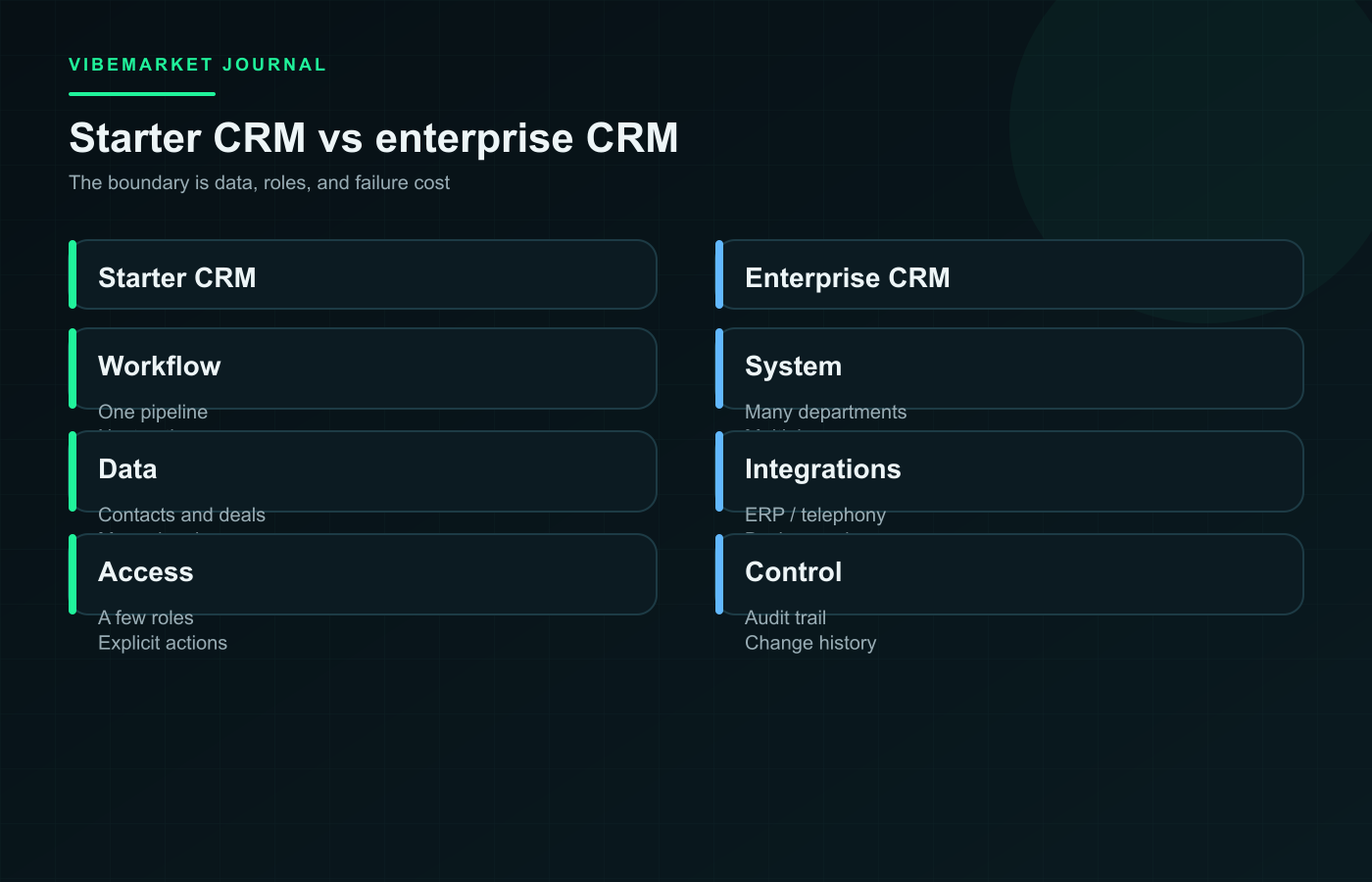
Company size is not the real boundary. Failure cost is. A missed lead may be painful but recoverable. A system that affects commissions, legal obligations, personal data, or automated messages to a large customer base needs a stricter review.
Where the enterprise boundary begins
The enterprise boundary is not the deal screen. It is the number of rules around it. Complexity rises when you need:
- different pipelines by region or product;
- team hierarchy and territory-based visibility;
- synchronisation with telephony, email, ERP, billing, and support;
- audit trails, legally relevant conversation retention, and exports;
- contact deduplication across multiple imports;
- background jobs that must deliver events reliably.
At that point, "the interface works" is not enough. Someone must explain what happens when an integration repeats an event, who can reassign a deal, how a failed sync is recovered, and how the organisation can prove what happened. AI can accelerate isolated tasks; it cannot choose the company's data-retention and accountability rules.
Access and change history
Test more than sign-in. Check who can view a contact, export a list, change a stage, delete a record, or undo an edit. In a CRM, a quiet permission error is often more damaging than a visible design bug.
Keep a history of important events: lead creation, ownership change, stage change, and deletion. Logs should answer a question, not become an uncontrolled archive. Decide which events are useful to managers, support, and incident review.
How to accept the first version
Ask for a demonstration of five workflows: create a lead, reassign it, find a deal, block access to another user's record, and recover from a data error. Then test a duplicate import, a repeated notification, and an integration that is unavailable.
If those workflows are clear and the team has an owner for data and access, a vibe-coded CRM can be a sensible starting point. If the brief already includes several departments, complex audit, and many integrations, plan managed engineering with a technical owner. A VibeMarket request is easier to estimate when it describes the pipeline, roles, and acceptance criteria instead of only listing screens.
Discussion
Comments
No comments yet. Be the first to share your experience.
Sign in to join the discussion →